








Tap falling piano tiles near the bottom for higher scores, earn stars, unlock 100 songs, and use hearts for a second chance in Perfect Piano.

Here's a quick look at the game:
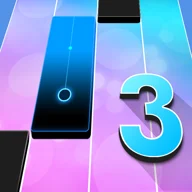
Perfect Piano is a rhythm game from Famobi where falling tiles represent the notes of each song. Your goal is to hit those tiles in time with the music, earn as many stars as possible, and use those stars to unlock a collection of 100 songs.
Timing Determines Your Score
The position of a tile when you hit it affects how well the note scores. Tapping a black tile in the lower part of the screen gives the best result, while hitting it earlier awards fewer stars for that note. This creates a tradeoff between safe inputs and higher scores: an early tap is easier to secure, but waiting until the tile approaches the bottom gives you a better scoring opportunity.
For higher scores, avoid tapping as soon as a tile appears. Follow its movement and make your input shortly before it reaches the bottom edge. Waiting too long can cause a miss, so the goal is consistent late timing rather than reacting at the final possible instant.
Complete Songs and Unlock More Music
Each song sends a sequence of tiles down the screen in rhythm with the melody. Continue matching the notes until the piece is completed. Stars earned from your performances contribute to progression and allow additional songs to be unlocked.
Perfect Piano includes 100 songs, so improving your timing does more than raise an individual score. Better performances help you collect the stars needed to open more of the song list.
Controls
On a keyboard, use F, G, H, and J to play the corresponding note lanes. You can also use the left mouse button to click the tiles. On touchscreen devices, tap the matching tiles directly as they descend.
Watch the lanes rather than focusing on only one tile at a time. Since notes continue arriving with the music, recognizing which lane is next gives you more time to position your fingers over F, G, H, and J.
Use the Heart as a Safety Net
A missed tile can interrupt an otherwise strong performance, but Perfect Piano includes a heart that can provide a second chance after a miss. Collecting it gives you extra protection during a song.
That makes the heart especially useful when you are deliberately waiting longer for high-value taps near the bottom. Precise late hits can improve your score, while the extra chance reduces the cost of one timing mistake.