




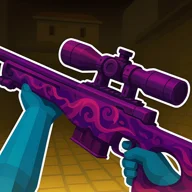


RIVALS FPS: Online Shooter is a multiplayer arena FPS with 1v1 battles, weapon switching, unlockable gear, training, and competitive maps.
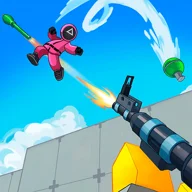
Here's a quick look at the game:
RIVALS FPS: Online Shooter is a multiplayer first-person shooter from Eccentric Studio Games built around direct battles with other players. Matches take place on 3D maps with multiple routes and elevations, while the Lobby connects you to matchmaking, weapons, skins, and leaderboard progress. :contentReference[oaicite:0]{index=0}
From the Lobby to Your First Fight
You can join an existing session or create a map, with 1v1 available for direct fights against a single opponent. Deathmatch is another confirmed option, while the game's official site also lists team-based and battle-royale combat among its available multiplayer formats. A Training Ground lets you work with firearms and melee attacks before entering live matches. :contentReference[oaicite:1]{index=1}
The main objective depends on the chosen mode, but winning gunfights and surviving enemy attacks are central to each match. Because maps can contain different levels, opponents may approach from above, below, or along another route rather than directly in front of you. Checking elevation as you move therefore matters as much as watching the next doorway or corner. :contentReference[oaicite:2]{index=2}
PC and Mobile Controls
On PC, use WASD to move and the mouse to control your view. Left Mouse Button fires, while Right Mouse Button aims. Press Space to jump, C to crouch, R to reload, and E to interact with objects. Number keys 1, 2, 3, and 4 switch between weapon slots. :contentReference[oaicite:3]{index=3}
Mobile play uses a virtual joystick on the left for movement and swiping on the right side for camera control. Separate on-screen buttons handle actions including aiming, jumping, crouching, and reloading. :contentReference[oaicite:4]{index=4}
Weapons and Unlocks
The arsenal covers several weapon classes, including assault rifles, sniper rifles, shotguns, explosive launchers, and melee options. The SCAR is identified as the starting rifle, while additional weapons can be unlocked as you progress. Weapon and character skins provide further customization from the Lobby. :contentReference[oaicite:5]{index=5}
Since four weapon slots can be selected with the number keys, switching equipment is useful when the fighting distance changes. A long-range weapon can cover an open route, while another slot can be kept ready for closer encounters instead of forcing the same gun into every situation. The game's multi-level maps make that flexibility especially relevant when a fight suddenly moves between open areas and tighter routes. :contentReference[oaicite:6]{index=6}
Use Movement Before Reloading
RIVALS FPS gives you jumping and crouching in addition to standard directional movement, so remaining stationary makes your position easier for another player to track. Move between angles during a fight, then use available cover before pressing R to reload; reloading in an exposed lane leaves you unable to fire while an opponent can continue attacking. :contentReference[oaicite:7]{index=7}