




War Of Gun is a 3D browser FPS with zombie battles, sniper fights, knife combat, team modes, weapon switching, and unlockable gear.
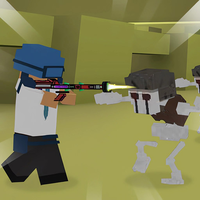
Here's a quick look at the game:
What Is War Of Gun?
War Of Gun is a 3D first-person shooter where you move through combat arenas, aim with the mouse, eliminate enemies, and adapt to different battle rules. Instead of relying on one type of match, the game includes modes focused on zombies, restricted weapons, and small-team firefights.
Your objective changes depending on the mode. Some battles ask you to defeat a set number of enemies before time runs out, while others focus on scoring more eliminations than the opposing side. Moving accurately, controlling your aim, and choosing the right weapon are the main skills you need.
Completing matches also earns coins and experience. These rewards can be used as you progress to unlock additional weapons, items, and character skins.
How to Play War Of Gun
The basic shooting loop is straightforward: move through the map, locate enemies, aim, fire, reload when necessary, and avoid staying exposed for too long. Because War Of Gun uses a first-person view, you need to watch both the center of your screen and the areas where opponents may approach.
Aim Before You Commit to a Fight
Use your mouse to turn and aim while moving with the keyboard. Keeping your crosshair near likely enemy positions makes it easier to react than looking at the floor or making large mouse movements after an opponent appears.
Do not empty your weapon without a clear target. Controlled shots make it easier to keep your aim on an enemy and reduce the chance that you will be caught reloading during a fight.
Switch Weapons When the Situation Changes
You can switch between available weapons with the number keys 1-8. Different modes may restrict which weapons you can use, so learning more than one type of combat is useful.
If an enemy is far away, prioritize accuracy and a clear line of sight. At close range, movement and quick reactions become much more important.
Reload at Safe Moments
Press R to reload. Try to reload behind cover or after you have cleared the immediate area rather than waiting until your magazine is empty in the middle of a fight.
A common mistake is firing continuously and then starting a reload while an enemy is still attacking. Watch your ammunition and create space before reloading whenever possible.
Game Modes
Zombie Mode
Zombie Mode gives you a specific survival-style objective: eliminate 30 zombies within 300 seconds. The time limit means you cannot stay in one place for too long, but rushing blindly into a group can also leave you surrounded.
Keep moving, clear nearby threats first, and use the available weapons efficiently. The goal is steady eliminations rather than wasting time chasing a single target around the map.
Sniper Mode
Sniper Mode restricts combat to rifles. Accuracy matters more here because you cannot simply switch to another weapon when an enemy reaches a different range.
Use movement between shots and avoid remaining in an obvious firing position. If you repeatedly attack from the same spot, opponents have more time to locate you.
Knife Mode
Knife Mode removes ranged gunplay and forces you into close-range combat. Positioning and timing become more important because you need to get near an opponent before attacking.
Approach unpredictably and use movement to make yourself harder to hit or intercept. Running directly toward an enemy in a straight line makes your next move easier to anticipate.
2 vs 2 Mode
The 2 vs 2 format puts two-player teams against each other with a limited selection of three weapons. The objective is to help your side secure more kills than the opposing team.
With only two players on each side, every elimination has a noticeable effect on the match. Stay aware of where your teammate is fighting instead of repeatedly entering isolated battles.
Controls
| Action | Control |
|---|---|
| Move | WASD |
| Aim / Look | Mouse |
| Shoot | Mouse |
| Reload | R |
| Jump | Spacebar |
| Change weapons | 1-8 |
The controls follow a familiar FPS layout, so you can concentrate on aiming and positioning once you learn the available weapons.
Tips for War Of Gun
Keep Your Crosshair Ready
Try to keep your aim around the height where enemies are likely to appear. This reduces the amount of mouse movement needed when a target enters your view and can make your first shot much faster.
Avoid Standing Still
Movement makes you harder to hit and helps you check different parts of the map. Do not stay in one exposed position simply because you found an enemy there previously.
Move between areas, use obstacles when available, and change your direction when entering a fight.
Do Not Reload Automatically After Every Kill
Reloading immediately after each elimination can create an unnecessary opening for another enemy. Check whether the area is safe and whether you actually need a full magazine before pressing R.
Learn the Mode Before Choosing Your Strategy
The same approach will not work equally well everywhere. Zombie Mode rewards efficient target clearing, Sniper Mode emphasizes careful aim, Knife Mode requires close-range movement, and 2 vs 2 makes teamwork and survival more valuable.
Adjust your play instead of treating every match like a standard gunfight.
Progression and Unlocks
Finishing matches can reward you with coins and experience points. Progression gives you access to additional items, weapons, and character skins through the in-game systems.
New weapons can give you more options, but basic shooting fundamentals still matter. Improving your movement, aim, reload timing, and awareness will help across every War Of Gun mode, even before you have unlocked a larger collection of gear.