









Rescue kidnapped kittens, fight monsters, find loot, upgrade Nubik, and use a growing arsenal while exploring the Monster World.

Here's a quick look at the game:
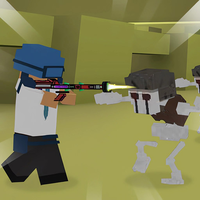
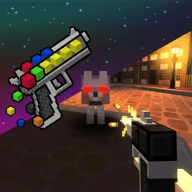
Nubik in the Monster World! is a browser shooting adventure in which Nubik enters a monster-filled world to rescue kittens kidnapped by Huggy. Exploration and combat are connected: you move through the level, track objectives, fight enemies, search for loot chests, and use collected resources to improve Nubik.
Rescue the Kittens and Explore the Level
The main objective is to find the kidnapped kittens while dealing with monsters that block your progress. A radar helps you navigate the level, making it useful when you are unsure where to search next.
Loot chests are also worth checking because they provide items and coins connected to character upgrades. Nubik can encounter TNT blocks during exploration, while another rescue task involves helping his captured friend escape from the monsters.
Weapons and Combat
Nubik has access to several firearms, including an AK-47, M16, machine gun, grenade launcher, and two shotguns. Shooting is therefore a central part of progressing through areas occupied by monsters rather than a separate side activity.
Because exploration can lead directly into combat, keep the radar in view while moving instead of wandering without a destination. Chests can contribute resources for upgrades, so collecting them before pushing farther into dangerous areas can improve Nubik's progression.
Controls
On PC, use WASD to move and the mouse to rotate the camera. Press the left mouse button to shoot, and use F or E to interact. Tab or Esc pauses the game.
On mobile, move with the virtual joystick, swipe across the screen to rotate the camera, and tap to fire. An auto-shoot option can also be enabled in the settings, and both mouse and swipe sensitivity can be adjusted from the menu.
Using the Game's Tools Effectively
The radar reduces the need to search the entire map blindly, so check it when choosing which direction to explore. Since loot chests support upgrades, searching nearby areas for chests has a practical benefit beyond simply reaching the rescue objective. On mobile, enabling auto-shoot can also reduce the number of separate inputs needed while moving and turning the camera.